HCI Methods + UX Quant
Fixing Canvas, Felt and Measured.
A tale of sticky notes, spreadsheets, and one very opinionated AI bot.
It's 11:47 PM. You're pretty sure you have something due tomorrow, but you can't figure out where on Canvas it lives. You've clicked through three modules, checked the calendar, and opened four different course pages. You find it. It was due at 11:59 PM. Tonight. If this has ever happened to you, welcome. This is the story of how I tried to fix it. Twice.
01 · Round one: Community design project
We actually talked to people. (Wild concept.)
The first time I tackled Canvas was in my HCI Methods course. Our team, Laney, Ian, Lilly, and myself, picked UCSC undergrads as our community. Not exactly a hard sell. We all knew Canvas was a mess. But knowing something and proving it are very different things.
We ran user surveys, conducted interviews, and threw everything into a Miro board for affinity mapping. What came back was a clean signal buried under a noisy interface:
High confidence, low results
Students rated themselves 4 or 5 out of 5 on Canvas confidence, yet were still missing deadlines.
The To-Do list workaround
The To-Do list sidebar was the most popular workaround, people were hacking the system.
Manual planner copying
Many students were manually copying due dates into personal planners.
Lost announcements
Announcements were getting lost in the noise; inconsistent instructor organization was recurring.
A classic case of a system that technically works but creates enormous cognitive overhead. Students were not failing Canvas, Canvas was failing them.
02 · What we designed
Four requirements. One bot that stole the show.
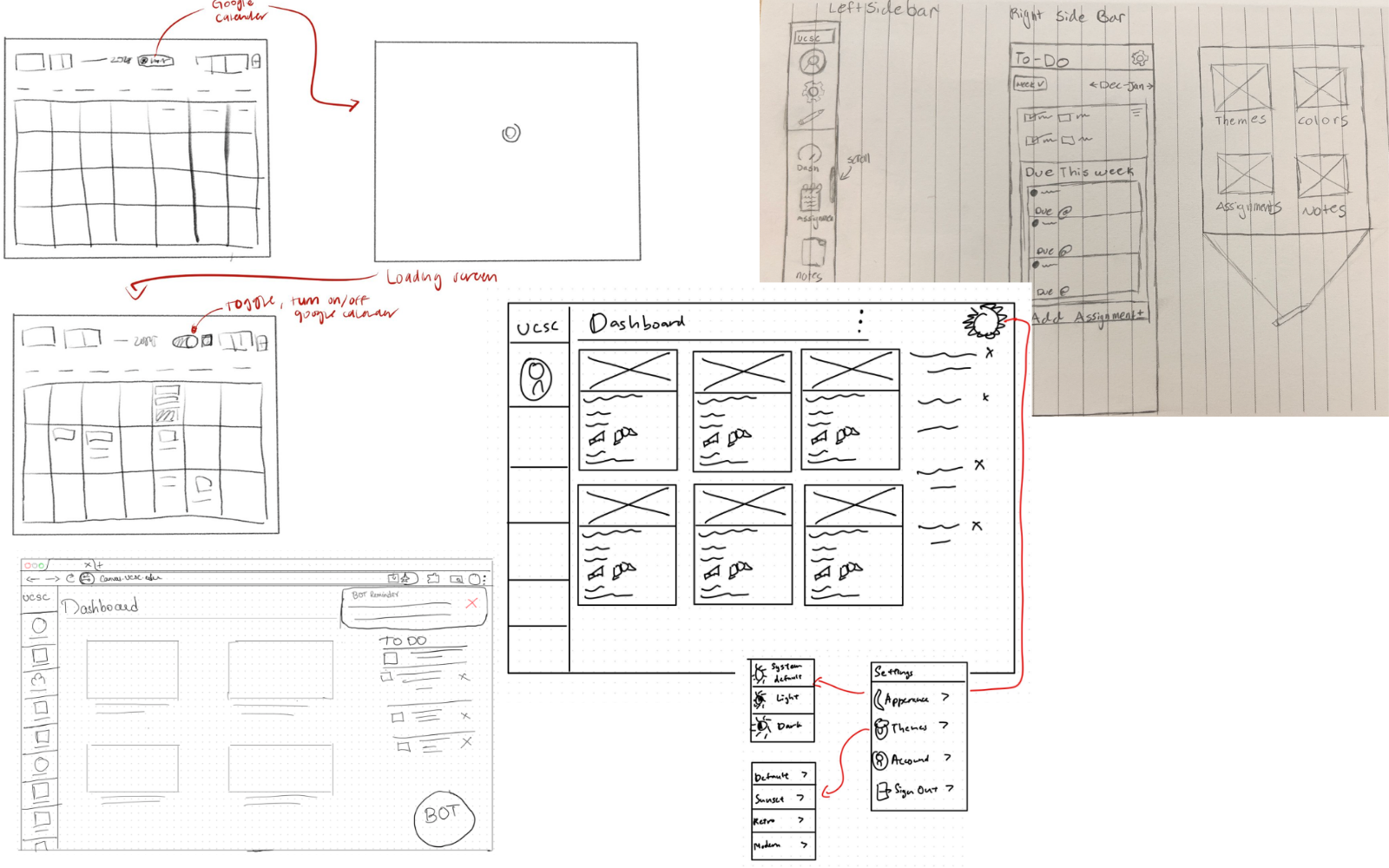
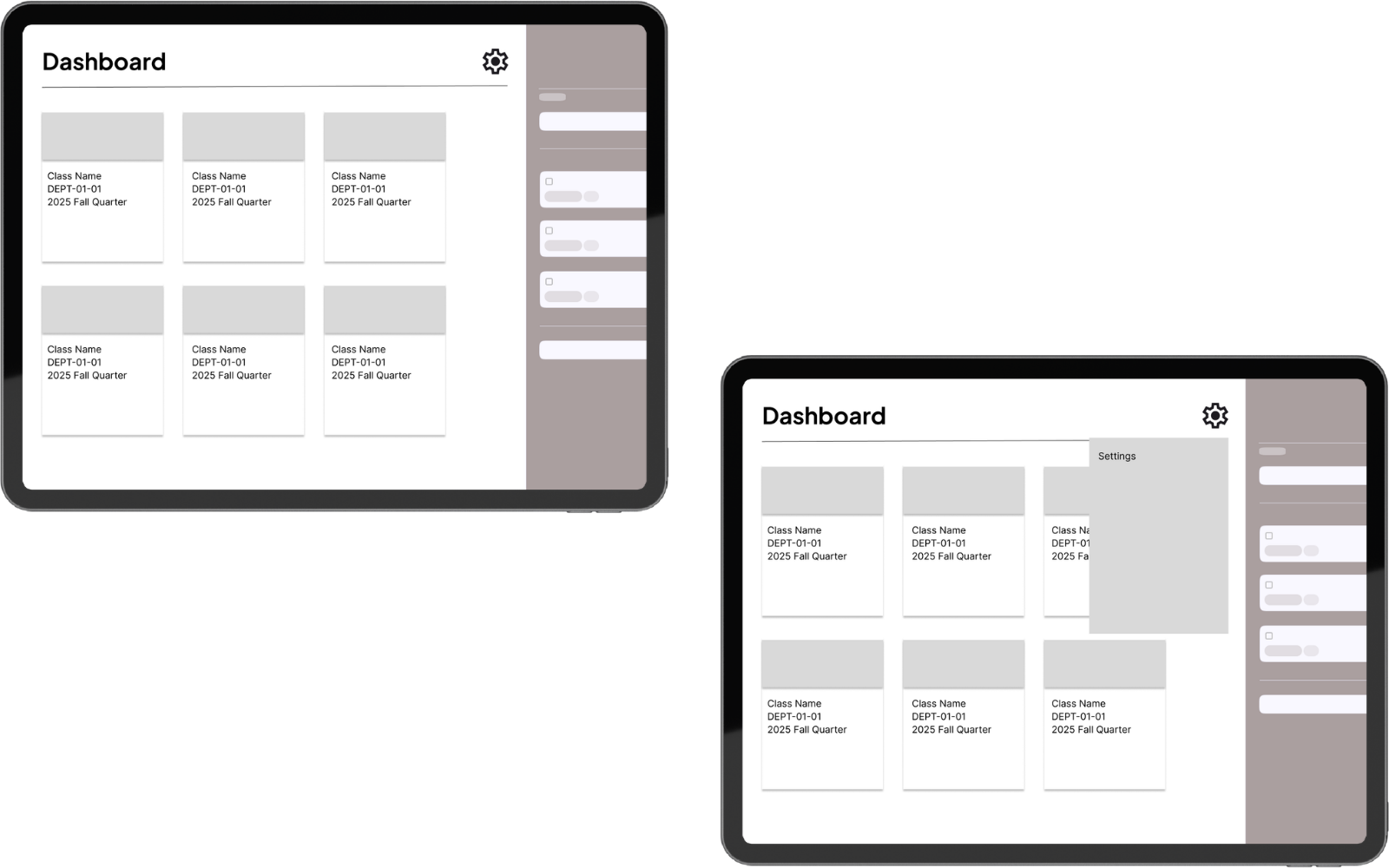
Based on our research, we focused on four core requirements: Organization, Customization, Calendar Integration, and a Bot. We iterated from rough sketches, to low-fi wireframes, to higher-fidelity prototypes.
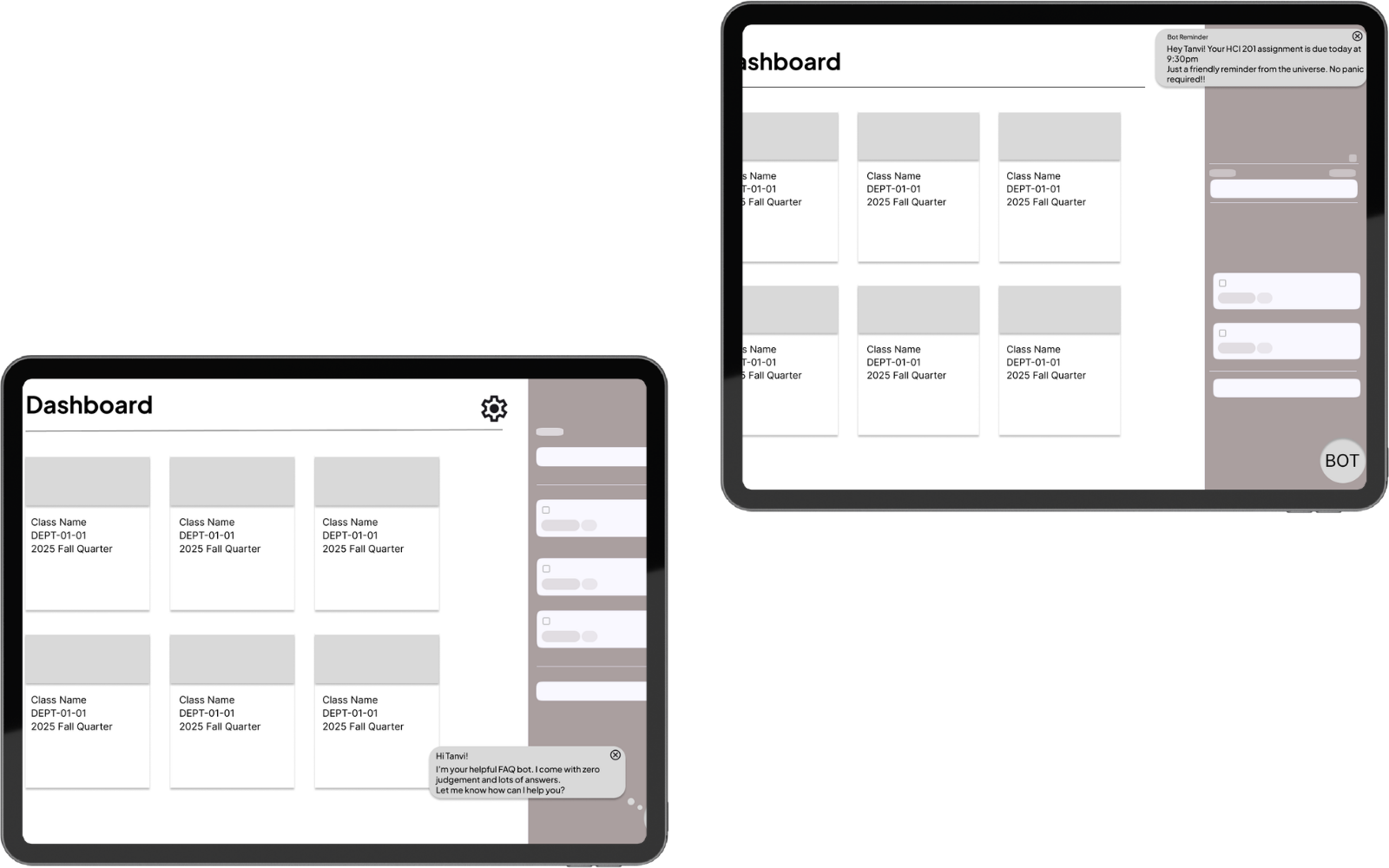
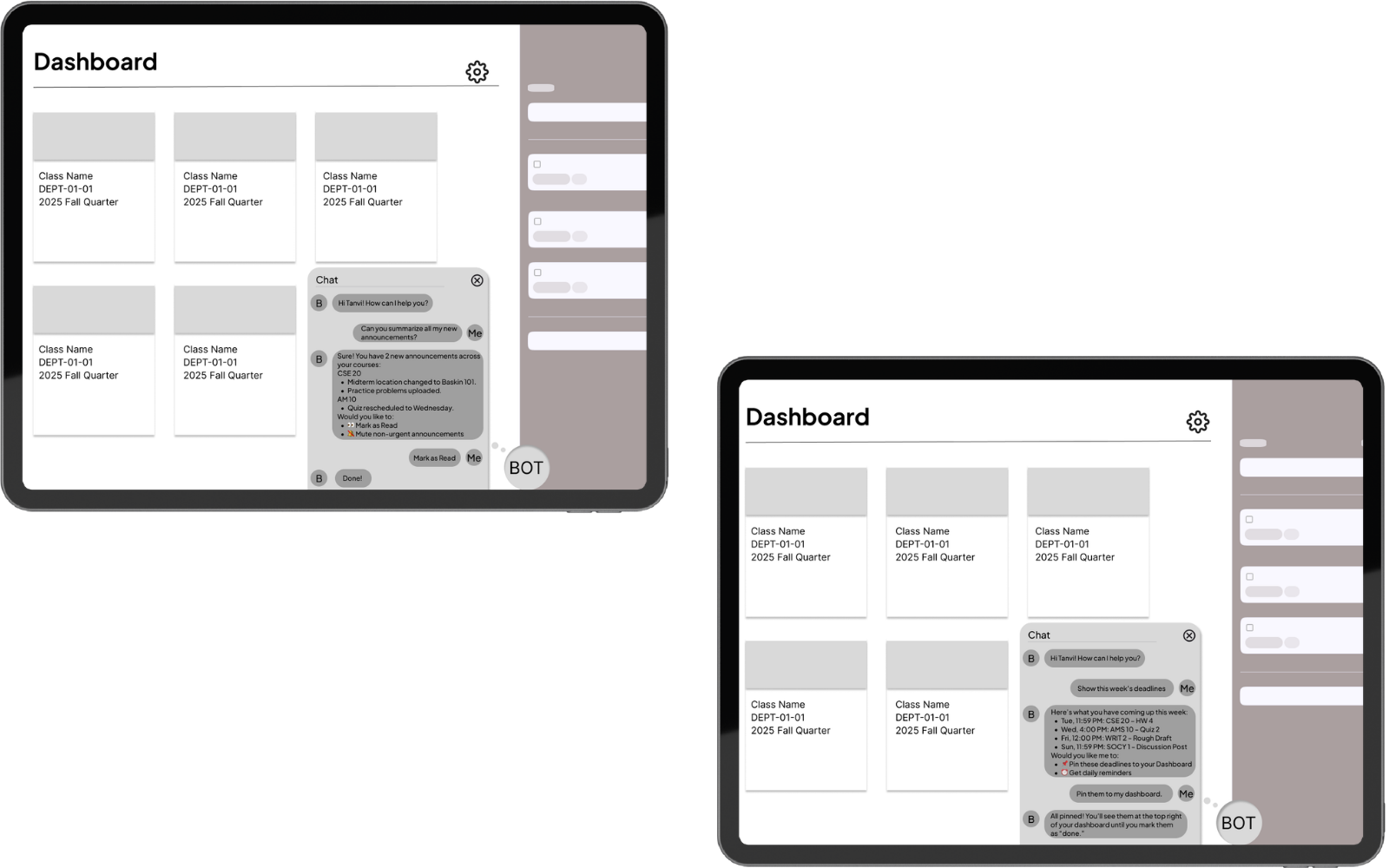
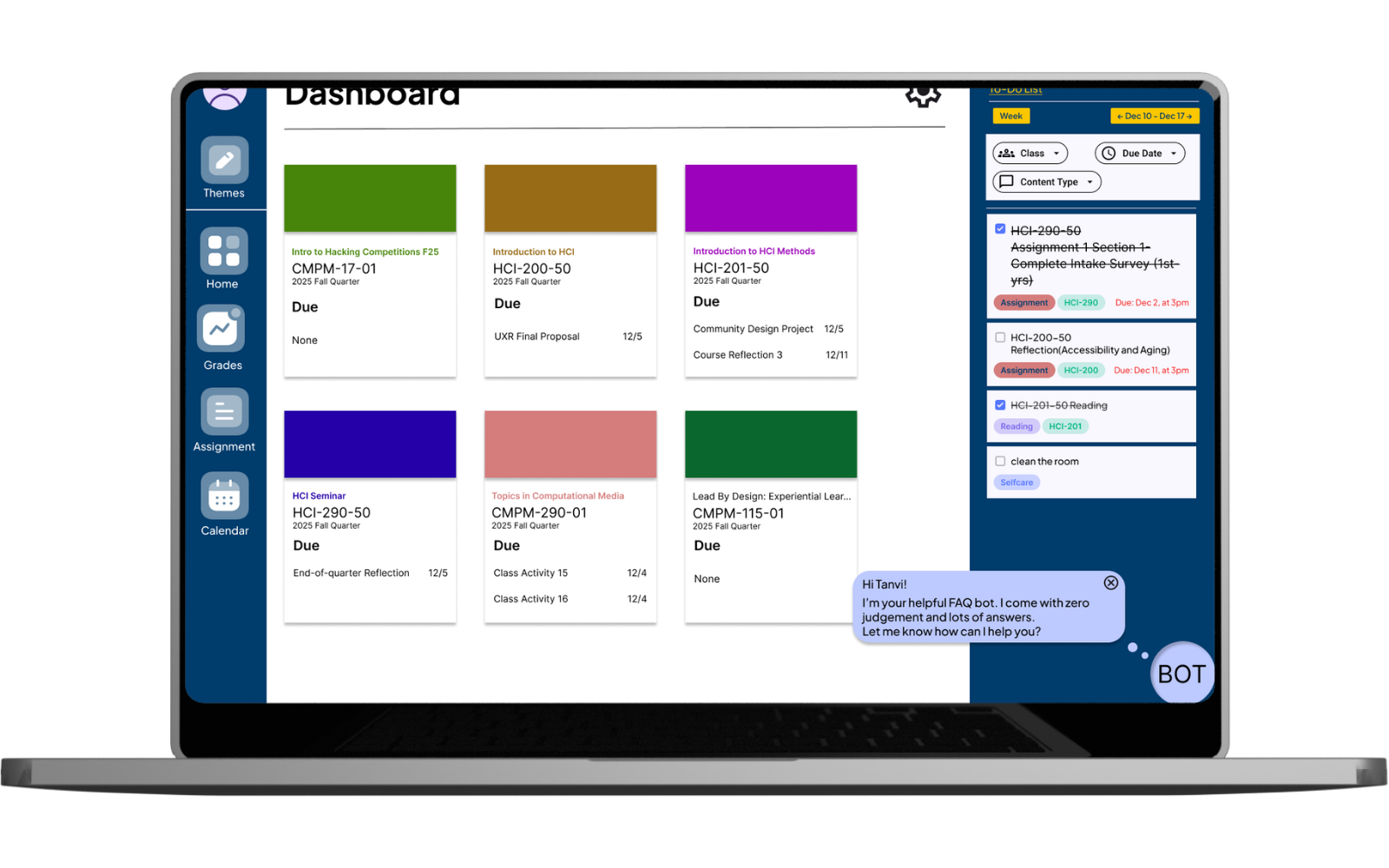
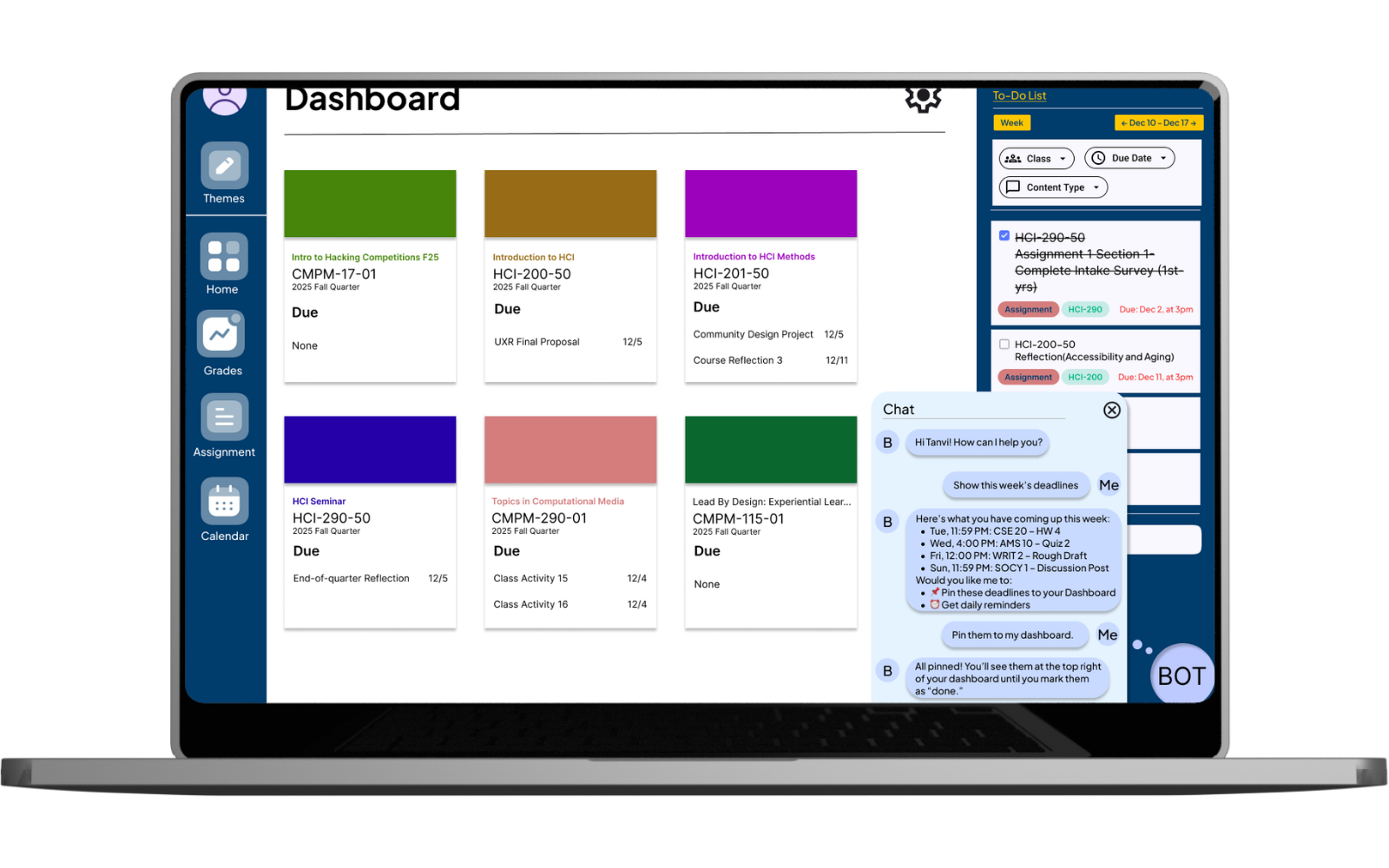
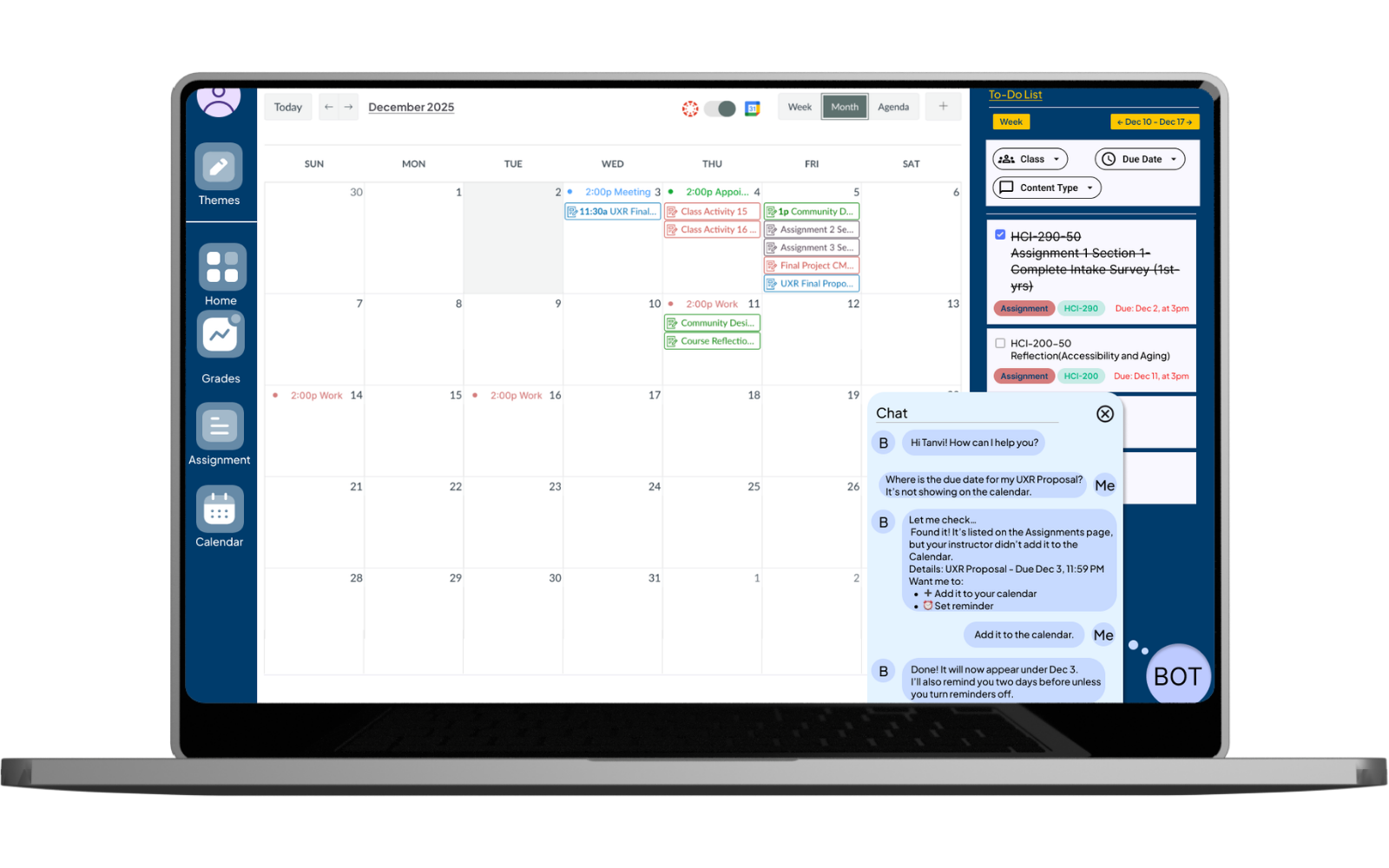
The Bot, friendly, zero judgment, lots of answers
This week's deadlines
Across all courses, sorted and readable.
Find hidden assignments
Ones instructors forgot to add to the calendar.
Summarize announcements
So you're not drowning in notifications.
Pin to dashboard
One tap to surface what matters.
"Hi Tanvi! I'm your helpful FAQ bot. Let me know how I can help you?" No passive-aggressive reminder emails. No guilt. Just useful.
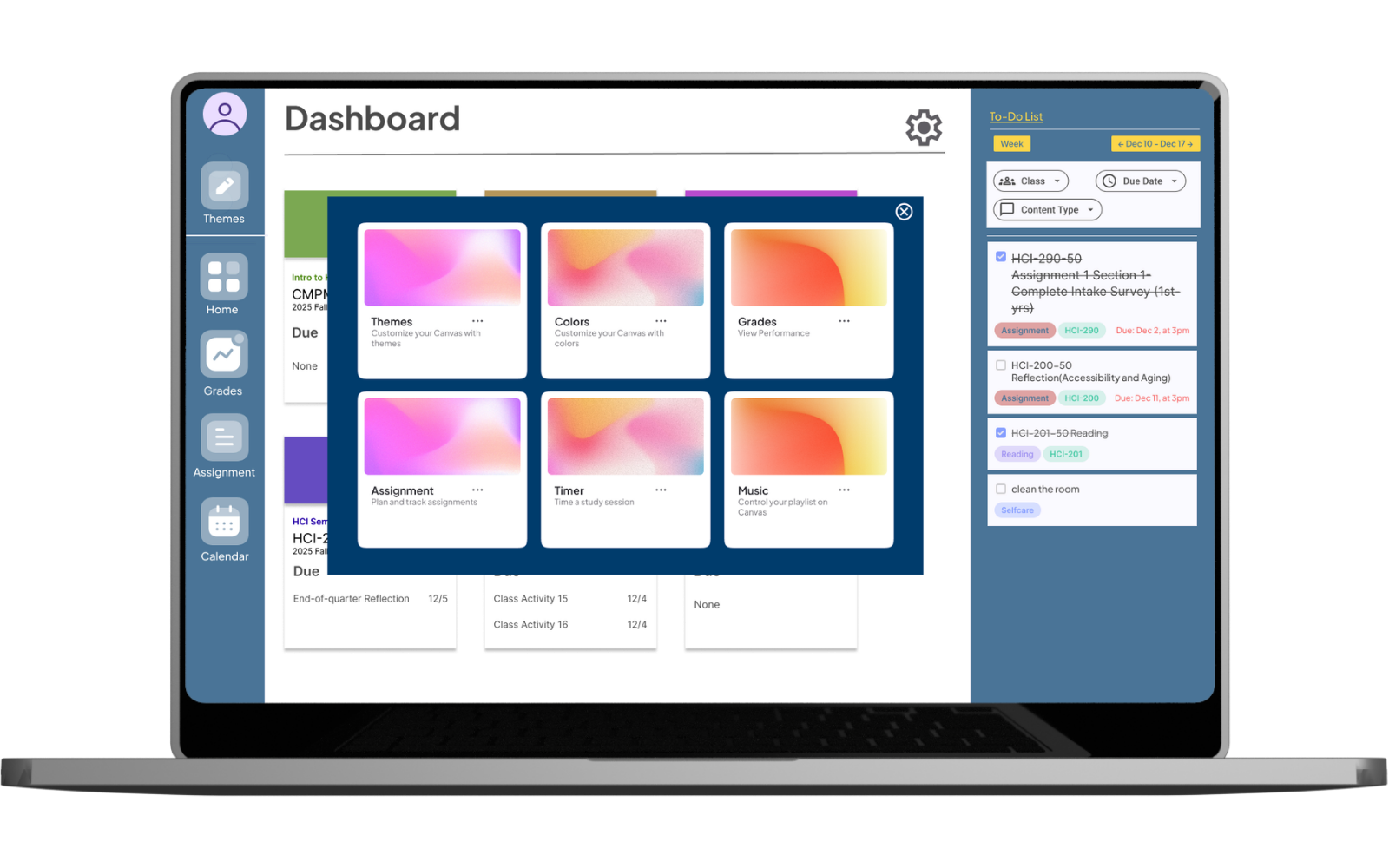
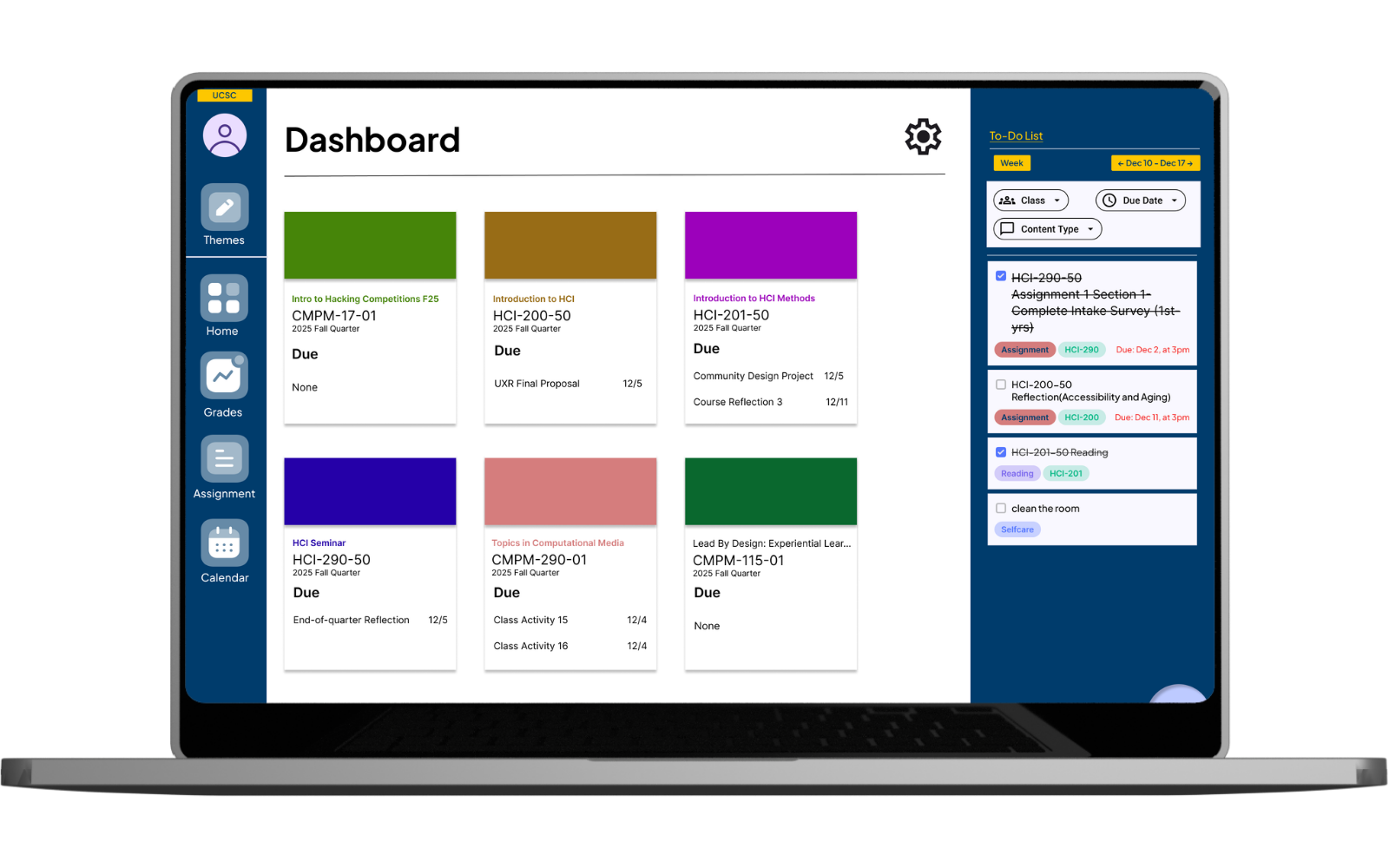
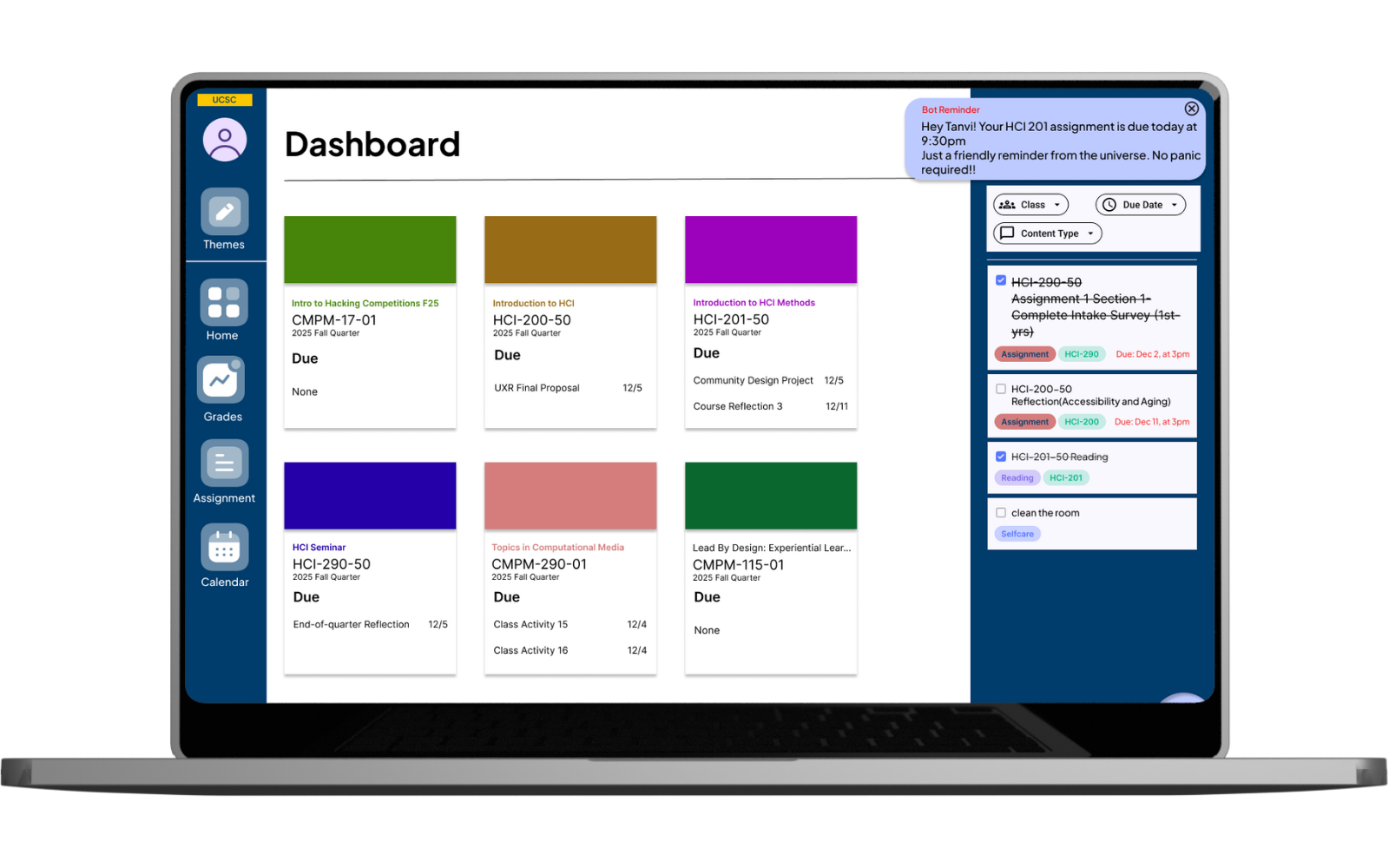
The redesigned dashboard got a proper To-Do list with filters (by class, due date, content type), theme customization, dark mode, and a Google Calendar import button that Canvas has absolutely no business not having already.
03 · Round two: The online experiment
Designing is fun. Measuring whether it works? That's where it gets interesting.
For CMPM 290, my partner Sonia and I asked: can we quantify the impact of an AI assistant on student assignment completion? Students with the AI assistant will miss fewer assignments and complete work on time.
The Metric
Running the Numbers
We set a baseline on-time rate of 70% and targeted a 5 percentage point improvement to 75%. Using the standard power analysis formula (alpha = 0.05, power = 0.80, variance = 0.21):
Rounded up: 1,350 per group, 2,700 total participants, about 9% of a 30,000-student university, rounded to a clean 10% rollout.
The A/B Comparison
| Current Canvas | Proposed experience |
|---|---|
| Manual navigation | Intelligent, conversational guidance |
| Static calendar due dates | Prioritized task list |
| No detection of missed work | Alerts for unseen assignments |
| No reminders | Personalized, proactive reminders |
| No planning help | Automated or manual work schedule |
04 · Risks we took seriously
We did not just hype the solution. We stress-tested it.
Over-reliance
Would students stop self-regulating entirely?
Notification fatigue
Could the bot become the very annoyance it was solving?
Privacy
Academic data is sensitive; AI access to it requires careful governance.
Bias in prioritization
Would the algorithm favor certain types of assignments unfairly?
These are not hypothetical worries. They are the kinds of issues that sink real product launches.
Good UX is both felt and measured.
- The community design project gave us the why: students are not disorganized, they are navigating a system that buries information and offers no intelligent guidance.
- The online experiment gave us the how much: a 5-point lift in on-time rates, across thousands of students, is worth building for.
- Doing the same problem twice, once through a qualitative, community-centered lens and once through a quantitative, experimental lens, taught me something a single course never could.
- Neither answer is complete without the other.
And Canvas really needs a Google Calendar import button. I've now said this in two academic presentations and a blog post. I'm manifesting it.