HCI 271 Capstone 1 - Activision + GUII Lab
Activision Playtest Triage Dashboard
UX researchers at Activision have an AI that detects anomalies in playtest sessions, but no interface to interpret, trust, or act on what it finds. We designed one.
Watch the presentation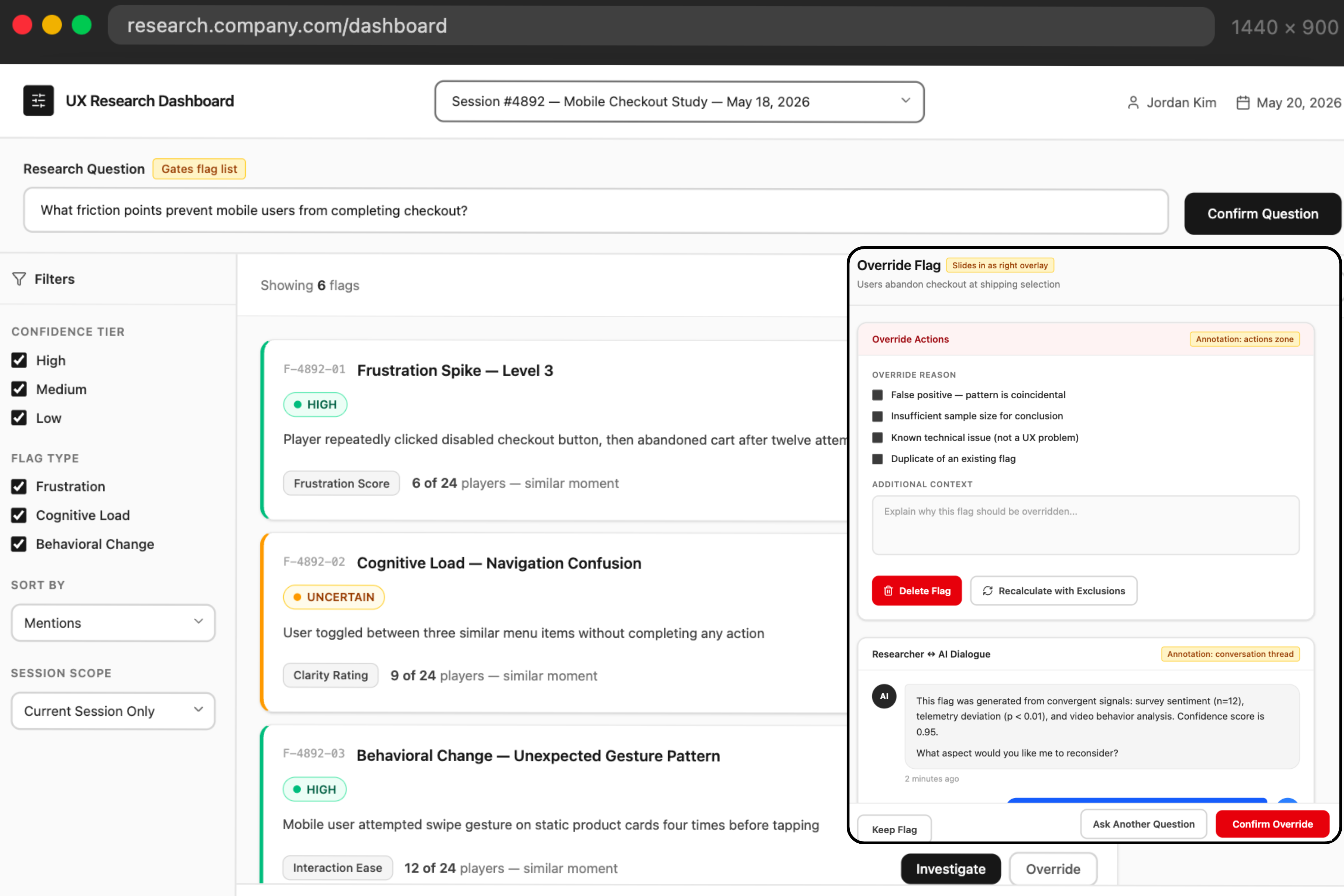
The problem
An AI that detects, but no interface to interpret, trust, or act on what it finds.
The users affected are UX researchers at game studios who run playtest sessions, analyze player behavior, and present findings to game designers and producers, often under extreme deadline pressure.
The AI already flags moments of potential frustration during a session. The problem is what happens next:
- Read study plan and set scope
- Watch playtest session video
- Manually flag key moments
- AI flags the same session, with no explanation attached
- Re-watch the video to verify the flag
- Synthesize into themes
- Challenge or accept the flag, with no record of why
- Present to stakeholders
The AI generates hundreds of signals. Researchers still do the verification work manually. The result is high cognitive load, reduced trust, and time spent validating AI output instead of generating insight.
Why now
Studios are rapidly deploying AI to detect player frustration and reduce cognitive load, but without researcher-facing interpretation tools, those insights are unlikely to be trusted or adopted.
Competitors and gap
Every tool solves part of the problem. None of them show their reasoning.
| Competitor | Key strength | Critical gap |
|---|---|---|
| Playtest Cloud | Fast setup, game-specific automated analysis | Black box, no reasoning shown |
| Lysto.gg | Most sophisticated AI in the space for playtest analysis | No mechanism to trust or interact with the AI |
| Hotjar | Strong behavioral visualization: heatmaps, session recording, funnel analysis | Not game-specific, no frustration detection |
The research
Five interviews. Thirty-four codes. Zero assumptions.
We talked to 2 UC Santa Cruz researchers and 3 Activision practitioners, spanning game telemetry, data science, UX research, and telemetry infrastructure. Sessions ran 30 to 45 minutes over Zoom, with 2 researchers present and standardized notes.
We independently coded every transcript into 34 codes, then affinity-mapped them into 10 themes.
One bad AI experience eliminates tool usage
Every session starts with a specific question
Override should be a conversation
The researcher journey
Where trust breaks down across one playtest study.
Presession setup
Read the study plan, set research questions, set up tools.
Data quality check
Review data schema, confirm sample, run outlier detection.
Flag review and analysis
Watch the video to understand the AI flag, check whether flags recur across the session.
Synthesis and insights
Cluster themes manually, cross-check every claim, rewrite AI language entirely.
Stakeholder presentation
Trace everything back to raw data, present findings, defend methodology.
From what we heard to what we built
Three pain points. Three concepts.
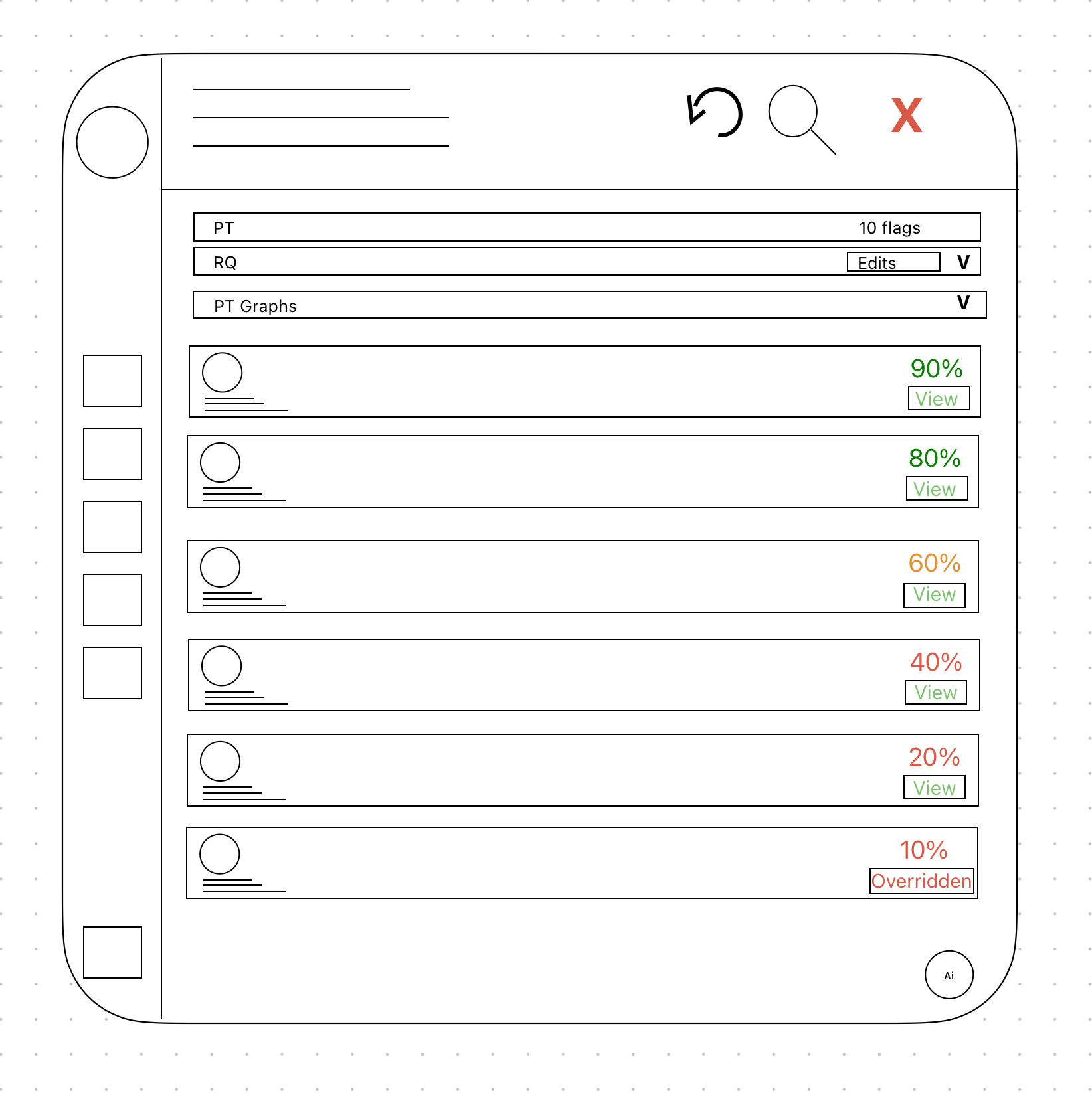
Researchers are overwhelmed by flags that have nothing to do with their question.
Research Question Upfront
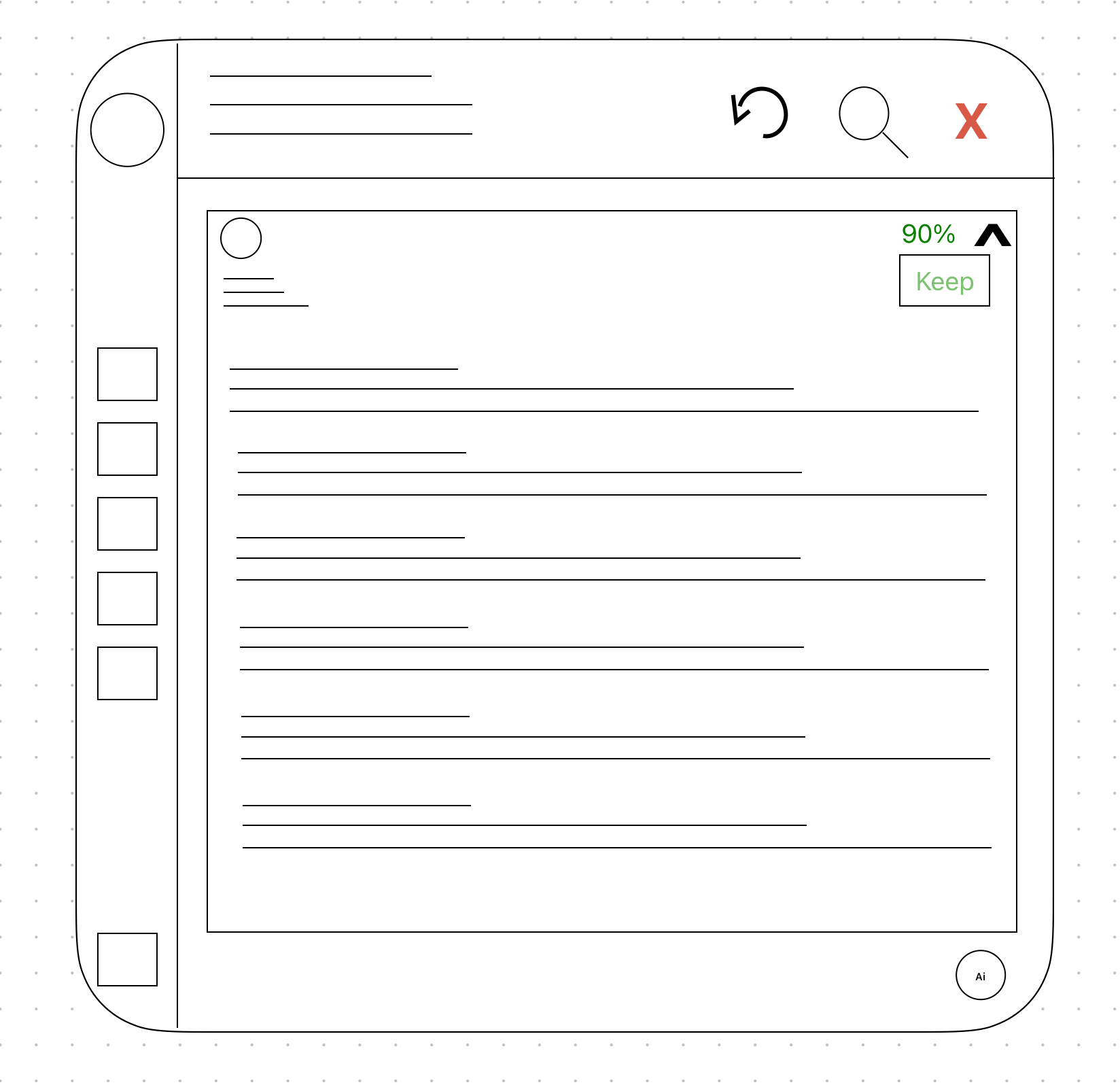
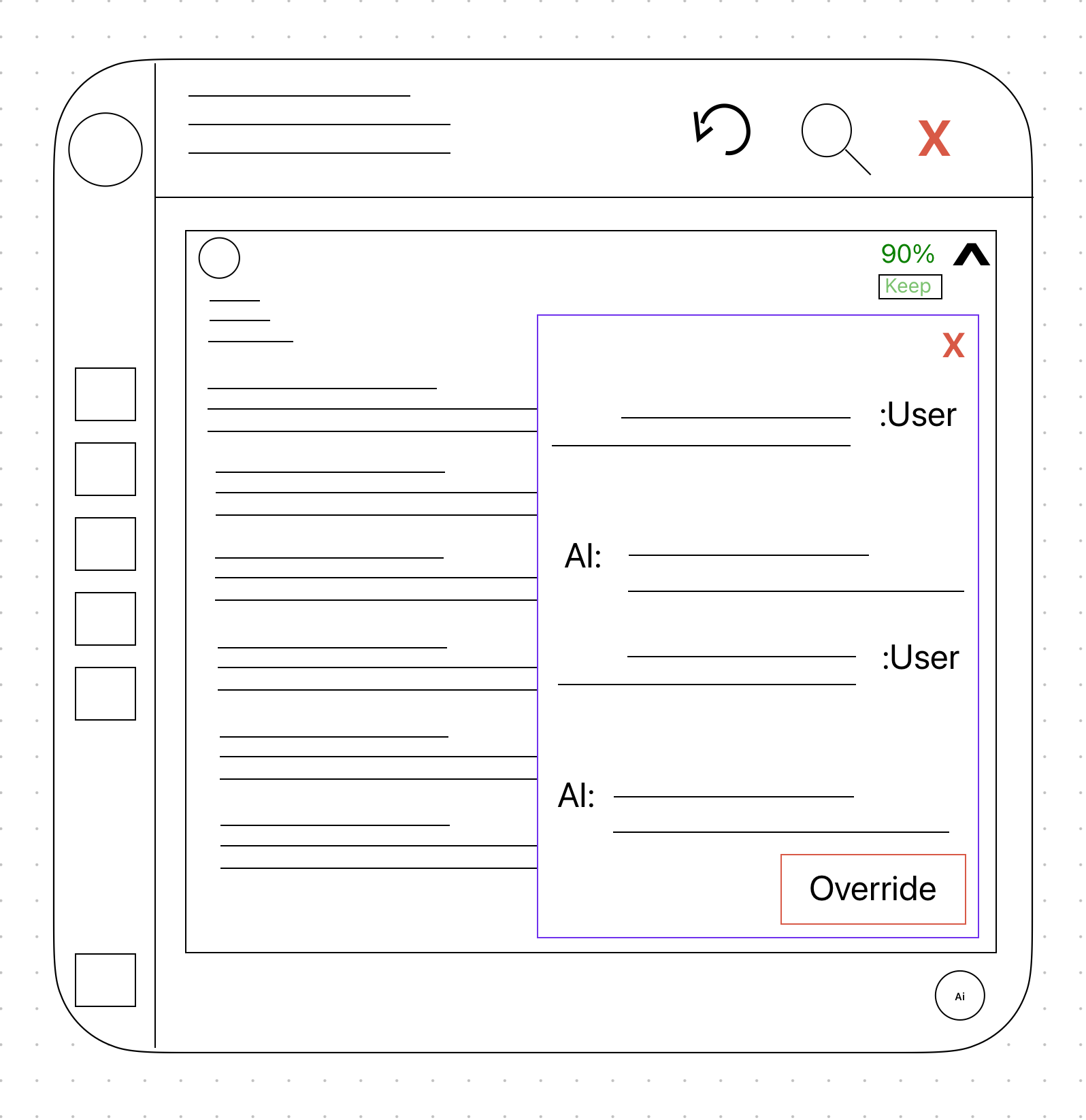
No reasoning shown, so nothing to trust or challenge in what the AI flagged.
Conversational Challenge Panel
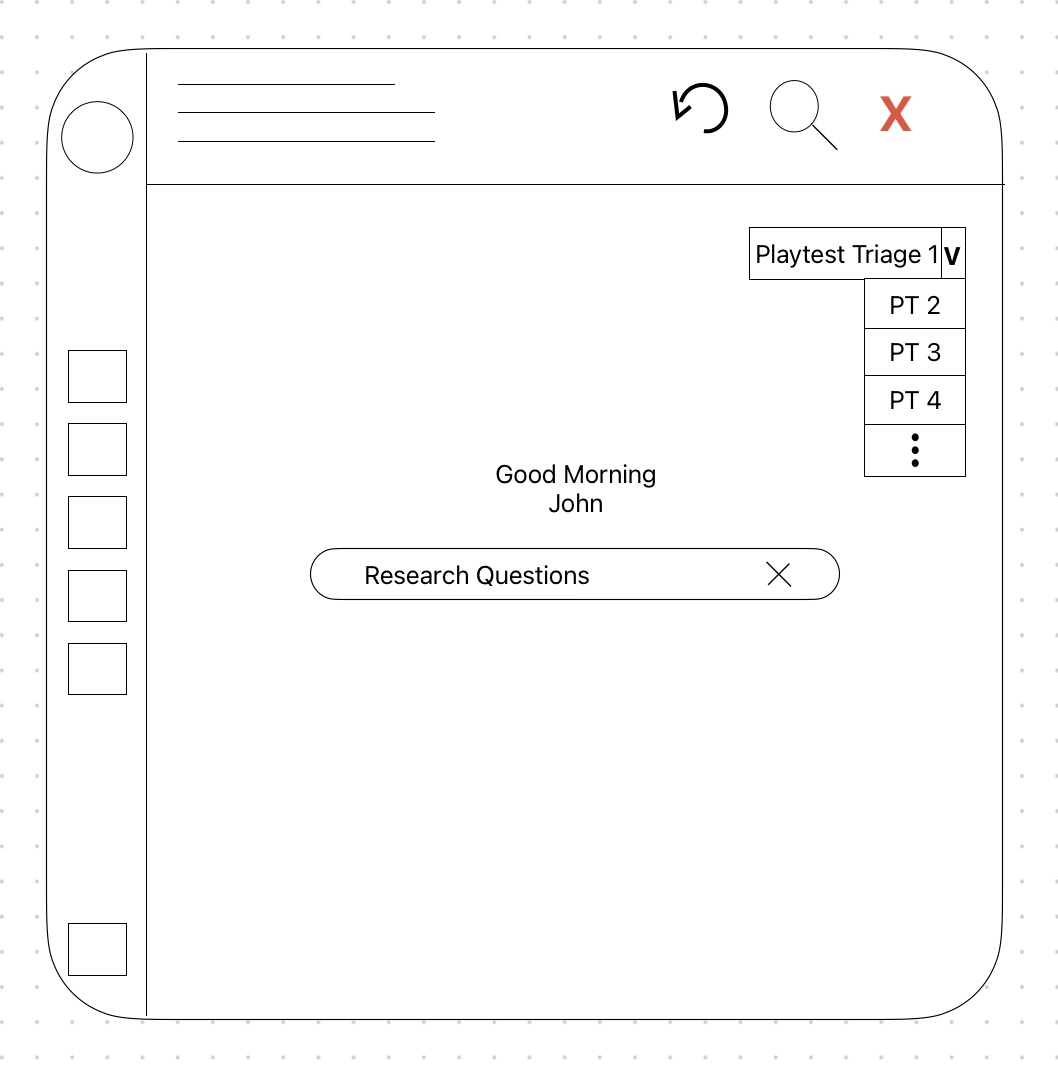
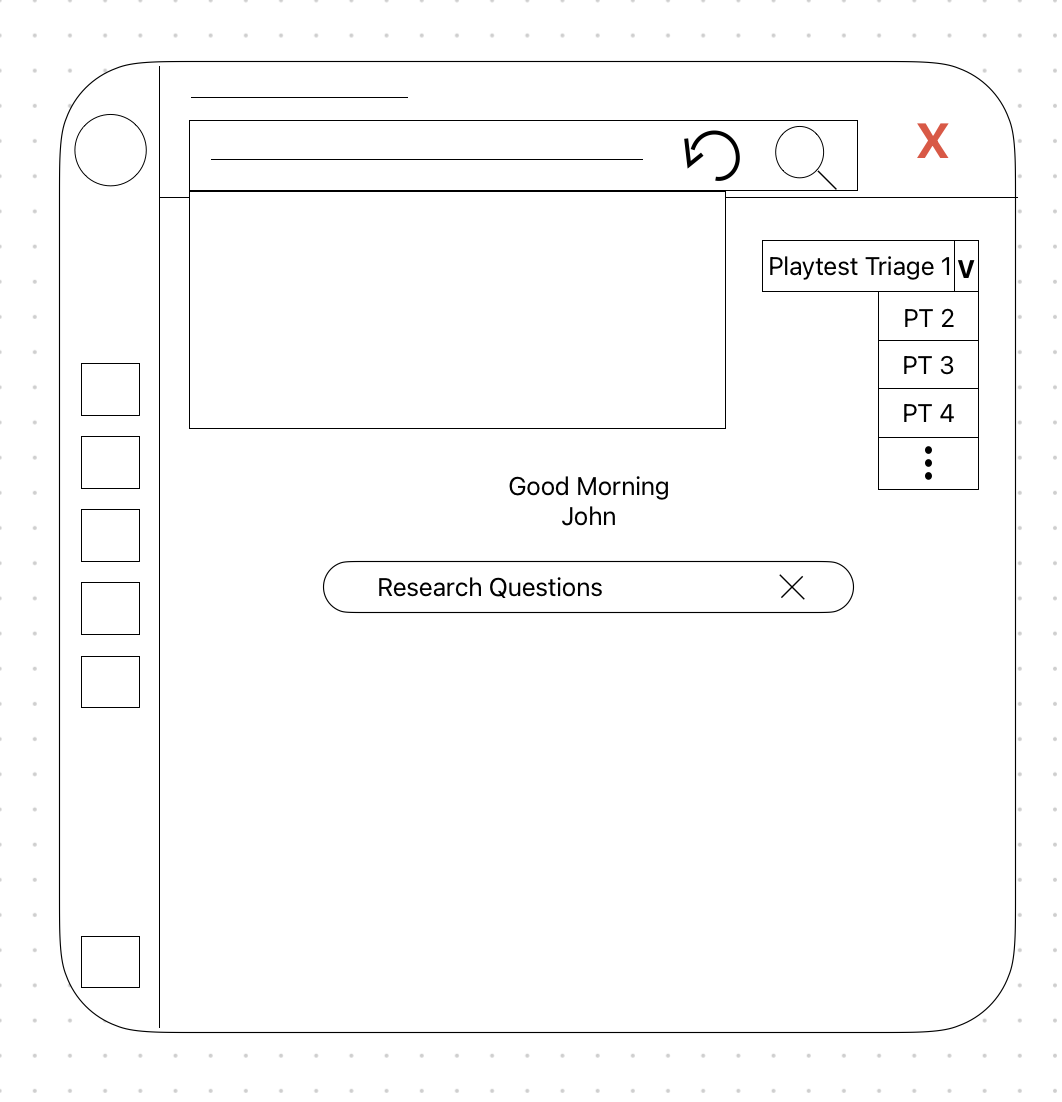
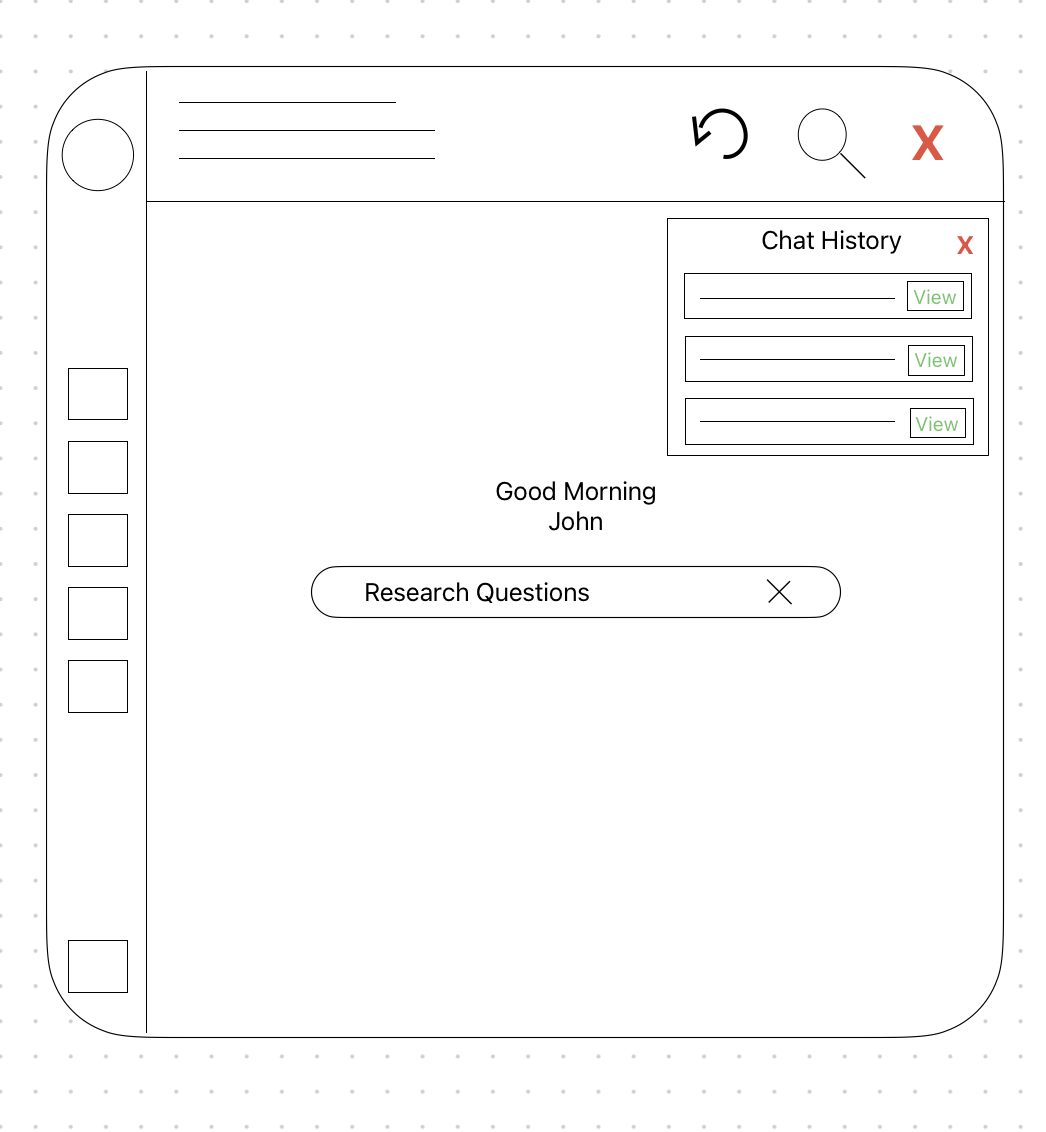
No fast way to find past flags or navigate the dashboard's features.
Smart Search Bar and Chat History
Concept 01
Research Question Upfront
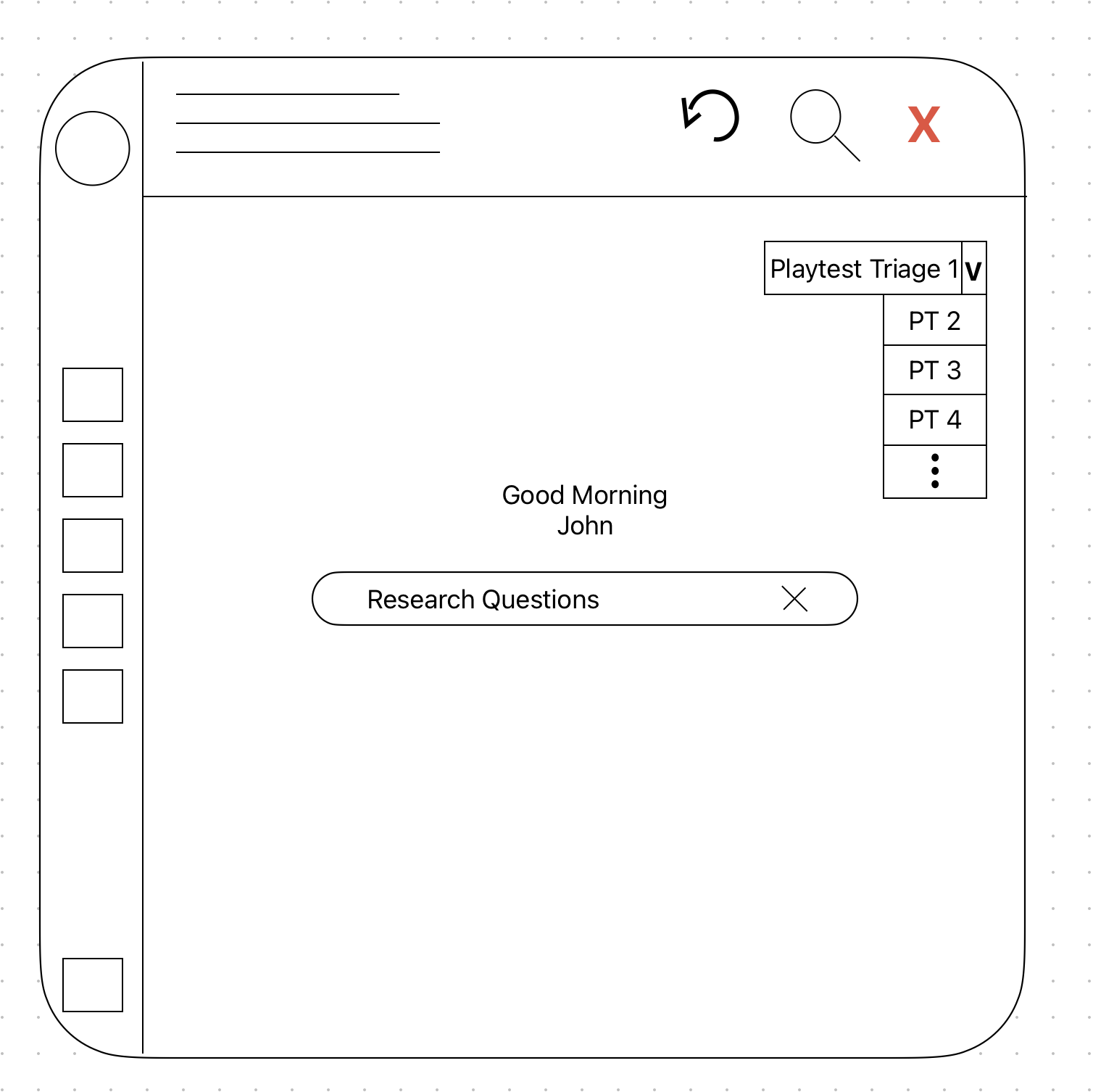
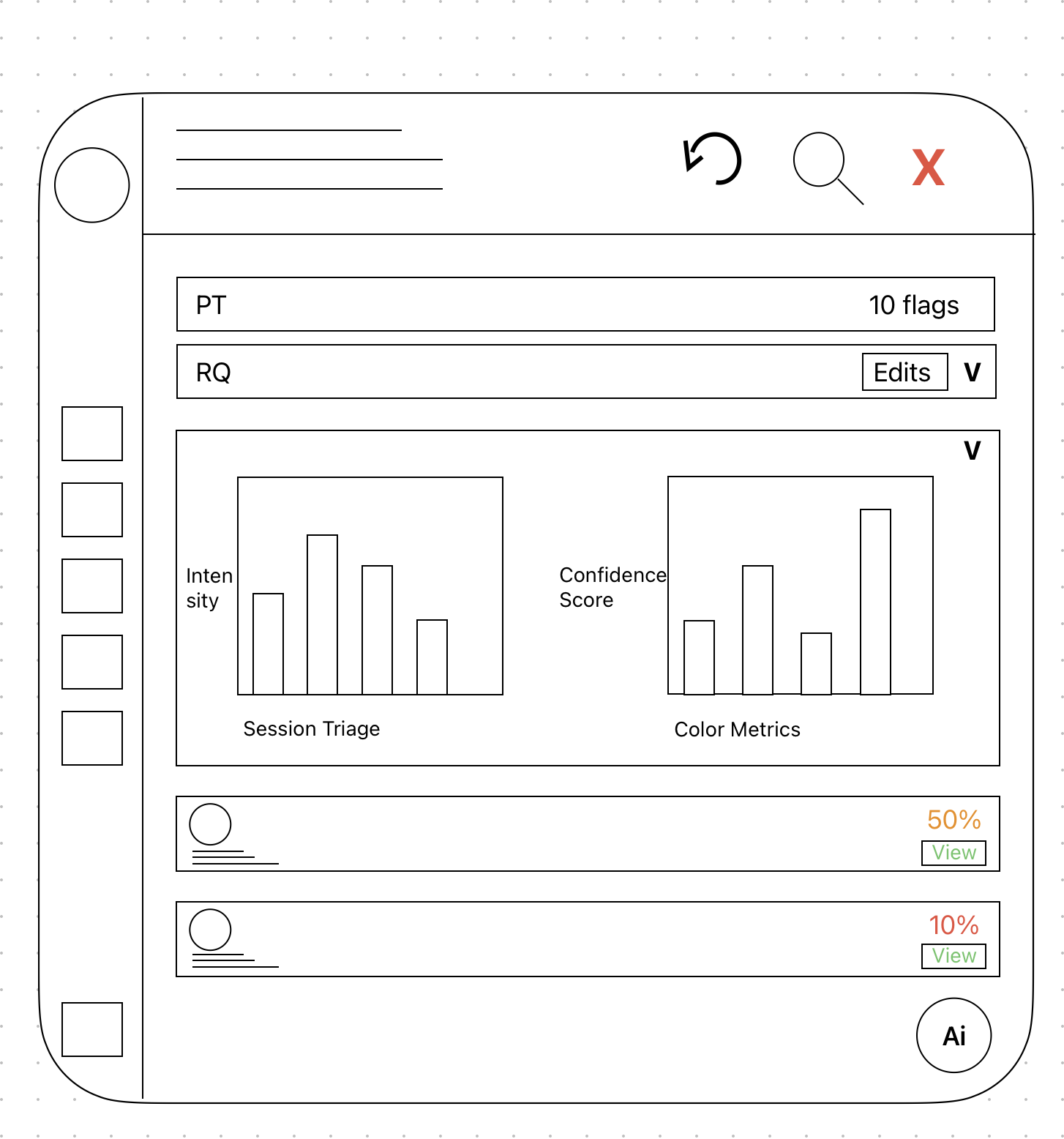
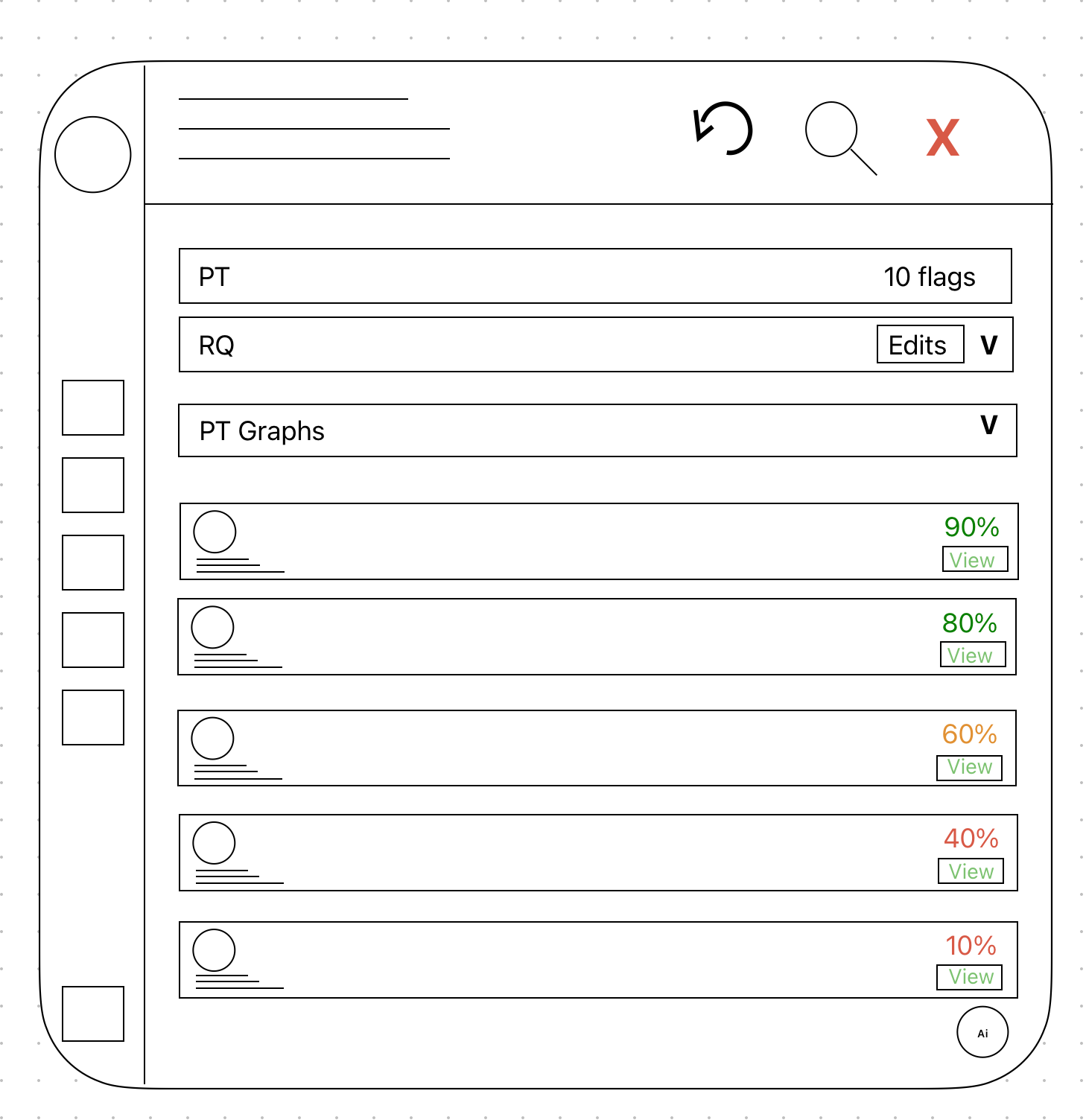
A collapsible prompt gates the flag list behind a research question. Only relevant flags surface; out-of-scope ones dim.
A single playtest session can carry around 1,000 raw data points. The research question is the first filter, cutting that down to what's actually relevant before the researcher sees anything. Once inside the dashboard, a second filter icon lets them narrow further by category and other facets. The goal at every step is the same: fewer results, more relevant ones, less to sift through.
Concept 02
Conversational Challenge Panel
Override opens a dialogue space. When a researcher disagrees with a flag, they have a conversation with the AI, which produces a suggestion and logs the outcome.
Concept 03
Smart Search Bar and Chat History
An always-visible search bar helps researchers navigate the dashboard's many features and filters, the dashboard is large enough that finding the right screen isn't always obvious. Chat history lives in its own icon beside the search bar, letting researchers retrace past conversations without starting over.
The problem
UX researchers at Activision have an AI that detects, but no interface that helps them interpret, trust, or act.
What we learned
Explanation panels are not a feature. They are the mechanism through which the dashboard earns the right to be used at all.
What we built
Three connected concepts, context filtering, conversational override, and smart navigation, grounded in five interviews and zero assumptions.
Next: a 10-week sprint
Validation and refinement, before this becomes a working prototype.
Biggest risks
- Limited Activision access: schedule sessions early through sponsor contacts.
- AI capability gap: some concepts may not be technically feasible; still exploring with Activision stakeholders.
Success metrics
- Challenge a flag via the conversational panel in under 1 minute, without assistance.
- Find a dashboard feature via smart search in under 30 seconds.